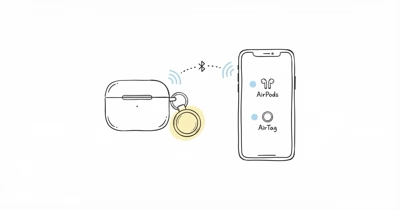
There is no special “AirPods AirTag” sold by Apple. The best AirTag for an AirPods case is the standard AirTag combined with a holder that attaches it to the charging case. According to Apple’s AirTag product page, the tracker measures just 1.26 inches across, small enough that a well-designed holder adds almost no bulk.
Across five attachment styles and four AirPods models, this guide covers which holder designs are least likely to peel, snag, or block charging.
- No built-in slot exists — every AirPods case needs a separate AirTag plus a holder
- One standard AirTag — the same $29 tracker works for any AirPods model
- Silicone pocket cases — the slimmest option, adding about 3 mm of thickness
- Loop and carabiner holders — best for AirPods Max, which has no flat back
- Charging stays intact — a good holder leaves the Lightning or USB-C port and MagSafe pad clear
Which AirTag Do You Need for an AirPods Case?
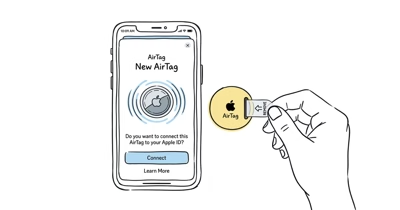
You only need one standard Apple AirTag for any AirPods case. Apple’s Apple’s Find My locate guide states that a single AirTag pairs to your Apple ID and reports through a network of more than 1 billion active Apple devices, the same way it would on keys or a bag.
A molded pocket keeps the port clear and avoids the MagSafe coil better than a loose adhesive flap.
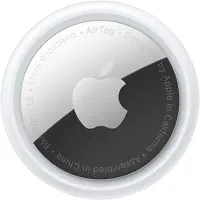 Top Pick
The Three Holder Styles That Fit an AirPods Case
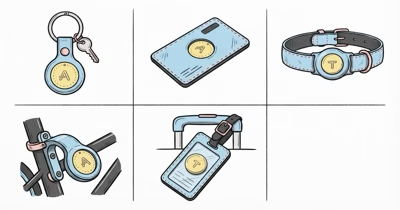
Three holder styles dominate. A silicone pocket case wraps the charging case and adds a sealed compartment on the back for the AirTag, keeping the profile slim while hiding the tracker entirely from view and from a snagging zipper.
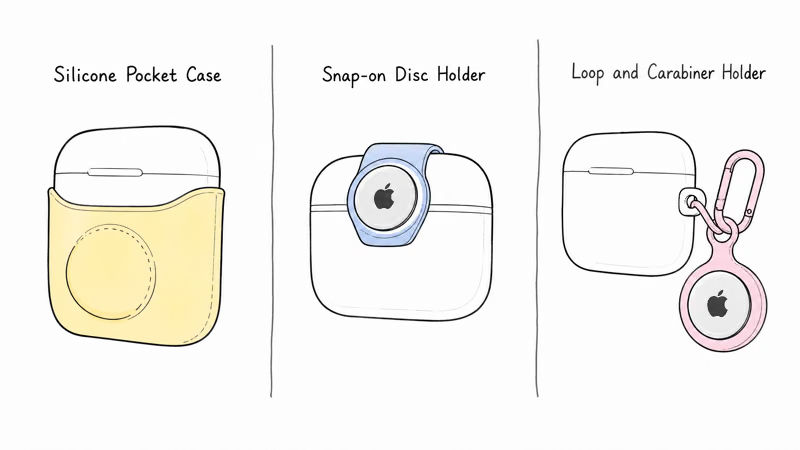
A snap-on disc holder clips to the case lid. A loop or carabiner holder hangs the tag from a lanyard point, the only practical route for AirPods Max in Apple’s AirPods lineup, since its rounded ear cups leave no flat face for an adhesive pocket the way the smaller Pro and standard cases do.
The Silicone Pocket Wins for Pro and Standard
For pocket-sized AirPods Pro and standard cases, a silicone pocket case is the cleanest format.
Because the AirTag clips into a molded slot rather than sticking on with adhesive, it handles pocket friction better than a cheap adhesive mount. The added 3 mm matters less once the case is back in a jacket.
For a one-piece case, the Spigen Tag Armor Duo builds an AirTag slot into an AirPods Pro shell.
Will a Holder Block Wireless Charging?
A well-designed holder leaves the charging port and MagSafe pad clear, so the case still charges normally. The risk comes from cheap full-wrap cases that cover the bottom port or sit a metal AirTag holder over the MagSafe coil.
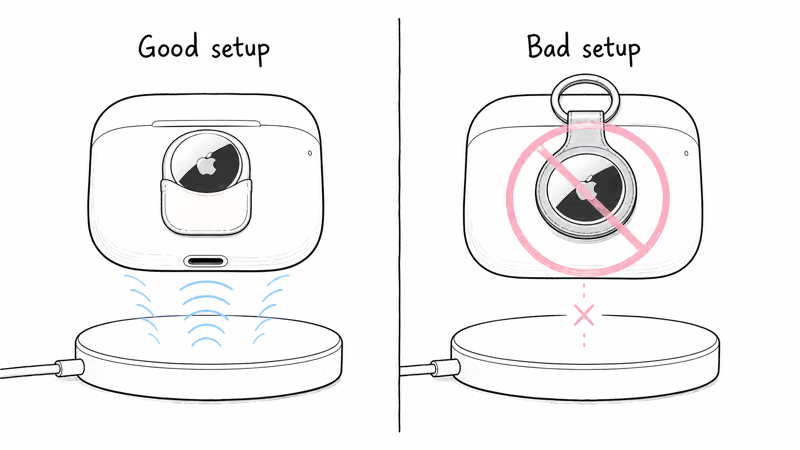
A metal-bodied holder placed directly over the MagSafe area can slow wireless charging to a crawl, because metal interferes with the inductive coil. Keeping the AirTag in a back-face silicone pocket lets the case charge at full speed, and that single placement rule, a port cutout plus a back-face pocket, is the whole trick to keeping a holder from fighting the coil.
Attaching an AirTag to AirPods Max
AirPods Max has no flat back for a pocket case, so the best route is a loop or carabiner holder clipped to the Smart Case or headband.
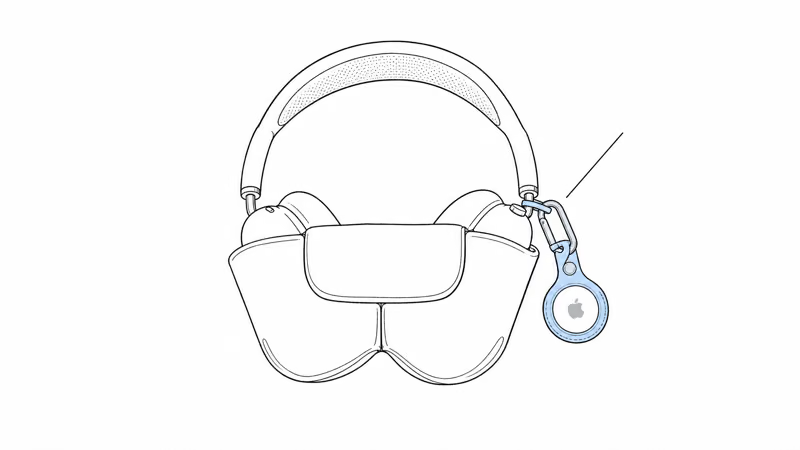
Because AirPods Max are among the most expensive Apple audio products, a tracker earns its keep: Apple’s AirTag tech specs page states that the tag weighs just 11 grams, a negligible addition. Apple’s guidance on AirTag and unwanted tracking states that safety alerts sound only once a tag is separated from its owner, so a tag tucked in gear you carry raises no audible nuisance even on a crowded train.
Tuck the AirTag into the Smart Case so it travels with the headphones. Our roundup of the best uses for an AirTag covers more high-value items worth tagging.
When You Can Skip the AirTag Entirely
If you own AirPods Pro 2 or later, the case already reports on Find My, so an added AirTag is optional. For those models, a tag mainly buys a longer-lasting signal once the case battery dies and the built-in beacon goes quiet, the exact moment when a misplaced case usually slips out of reach for good and an AirTag’s year-long coin cell keeps the trail alive.
Older AirPods and the standard charging case have no built-in tracking at all, which is exactly where a holder plus a $29 AirTag closes the gap and turns a case you would otherwise lose for good into a recoverable one.
Our AirTag AirPods guide covers the model-by-model edge cases if you are deciding whether the built-in Find My signal is enough.
Bottom Line
The best AirTag for an AirPods case is the standard Apple AirTag plus a holder matched to your model: a silicone pocket case for AirPods Pro, 2, or 3, and a loop holder for AirPods Max. Keep the charging port and MagSafe pad clear, and a single $29 tracker covers any case you own.
FAQ
Is there a special AirTag made for AirPods?
No. Apple sells one standard AirTag, and it works for any AirPods case. You attach it with a separate holder because AirPods cases have no built-in Find My slot of their own.
Will an AirTag holder block wireless charging on my AirPods case?
A good holder leaves the charging port and MagSafe pad clear, so charging works normally. Avoid full-wrap cases that cover the bottom port or place a metal AirTag holder over the MagSafe coil.
How do I attach an AirTag to AirPods Max?
Use a loop or carabiner holder clipped to the Smart Case or headband, since AirPods Max has no flat back for a pocket case. Tuck the AirTag into the Smart Case so it travels with the headphones.
Does adding an AirTag make my AirPods case much thicker?
A slim silicone pocket case adds about 3 mm of thickness, which most people barely notice. Disc and loop holders add even less since they sit outside the case rather than wrapping it.
Can I track lost AirPods without an AirTag?
AirPods already appear in the Find My app, but they stop reporting once the case battery dies or they leave Bluetooth range of your devices. An AirTag in the case adds a second, longer-lasting location signal.
How long does the AirTag battery last in an AirPods case?
The AirTag uses a replaceable CR2032 coin cell that lasts about a year regardless of where you keep it. Swapping the battery is quick and costs only a few dollars.