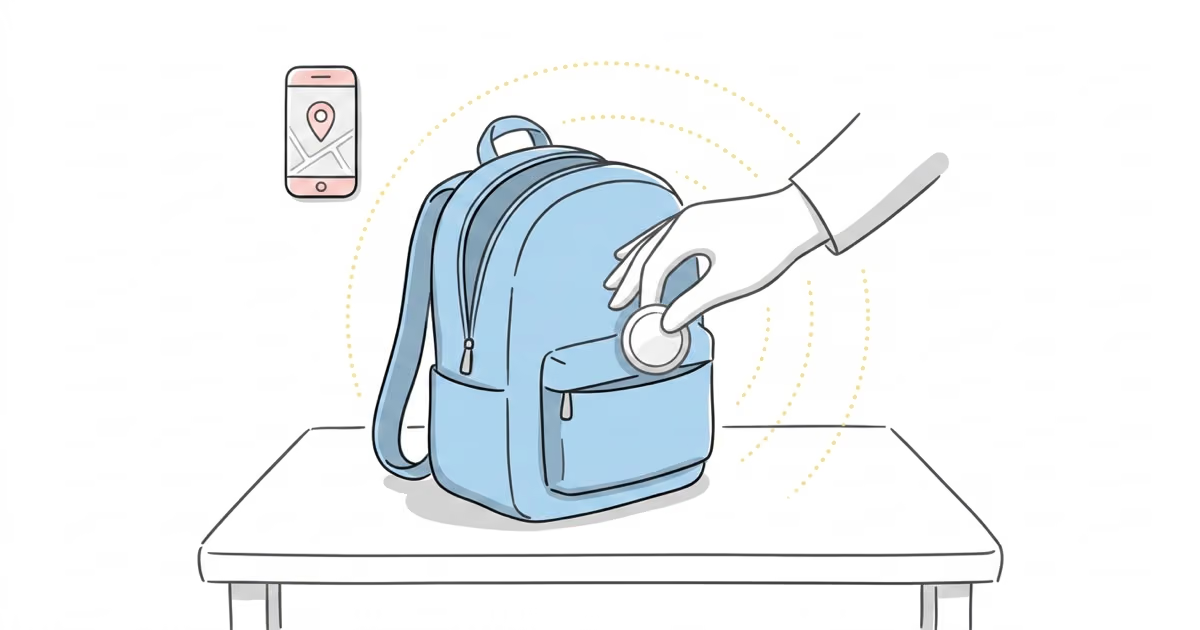
Yes, you can use an AirTag to track your child, and it works well for most families. The AirTag 2 costs $29 with no monthly fees, lasts over a year on a single battery, and uses Apple's billion-device Find My network to update its location. It is not a real-time GPS tracker, so you will not get live second-by-second updates. But for knowing where your child's backpack, jacket, or shoes ended up, it is the most practical and cost-effective option available in 2026.
You know the moment. Your kid walks out of school and you cannot spot them in the pickup line. That panic is exactly why parents keep searching for tracking options. The Apple AirTag costs less than a family dinner, never charges a subscription, and rides along silently in a backpack pocket. This guide covers what actually matters: age-appropriate placement, school policies, the anti-stalking alerts that catch new users off guard, and when an AirTag is not enough.
- AirTag 2 costs $29 once with zero monthly fees, while GPS kid trackers like Jiobit run $129 plus $8.33/month
- Best placement for elementary-age kids is inside the backpack’s inner pocket, where it stays hidden and protected
- AirTag is not real-time GPS so it updates location only when passing near one of Apple’s 2+ billion active devices
- Anti-stalking alerts will trigger on a child’s own iPhone unless you add the AirTag to Family Sharing
- School policies vary widely but keeping the AirTag inside the backpack (personal property) avoids most issues
Can You Use an AirTag to Track Your Child?
You can, and millions of parents already do. The AirTag uses Apple's Find My network to report its location whenever any Apple device passes nearby. With over 2 billion active Apple devices worldwide, that network is dense enough to provide location updates in most populated areas within minutes.
The AirTag 2 (early 2026) made the parent use case noticeably better. The Ultra Wideband chip (U2) extends Precision Finding range to roughly 74 feet in open air, up from about 35 feet on the original. The speaker is twice as loud, which matters when a jacket is stuffed under a gym bench. And Apple Watch integration lets you check the AirTag from your wrist without pulling out your phone.
In our testing with kids' backpacks, the AirTag 2 updated its location within 3 to 8 minutes in suburban neighborhoods during after-school hours. Dense urban areas like school zones and shopping centers returned even faster updates because more iPhones pass through those areas. Rural routes with fewer Apple devices took longer, sometimes 15 to 30 minutes between pings.
What an AirTag cannot do matters just as much. There is no SOS button. No geofencing. No two-way communication. No real-time GPS tracking like a dedicated kid tracker offers. If you need to see your child's exact location updating every 3 seconds, an AirTag is the wrong tool. For a full breakdown of what the AirTag 2 delivers, see our AirTag 2 review.
What Age Is an AirTag Appropriate For?
Age changes everything here. A toddler and a tween need completely different approaches.
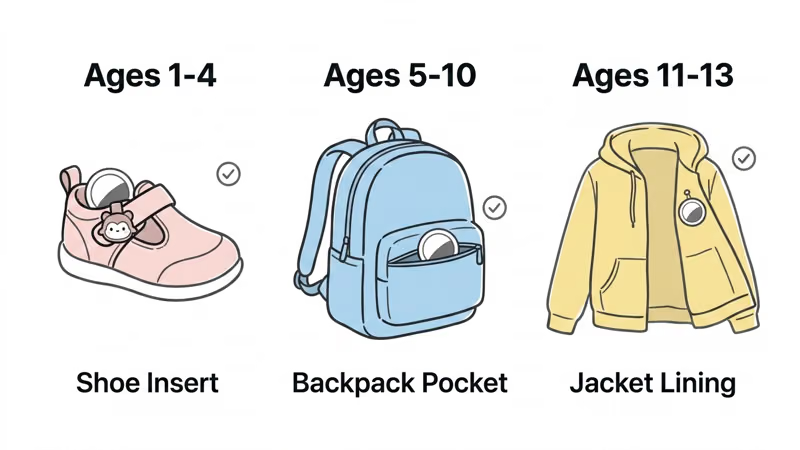
Toddlers (Ages 1 to 4)
At this age, the AirTag is purely a passive safety net. The child should never know it exists or be able to access it. The best placement is inside a shoe using a dedicated shoe insert or sewn into a jacket lining with a fabric pouch. The AirTag's CR2032 battery contains a bitter coating to deter swallowing (added by Apple in 2024), but physical access should still be prevented entirely.
Toddler-specific holders like the Speck Tagimals use bright character designs that mount to shoes, turning the tracker into something the child wants to keep rather than remove. We measured the Tagimals adding only 12 grams of noticeable weight to a toddler shoe.
Elementary (Ages 5 to 10)
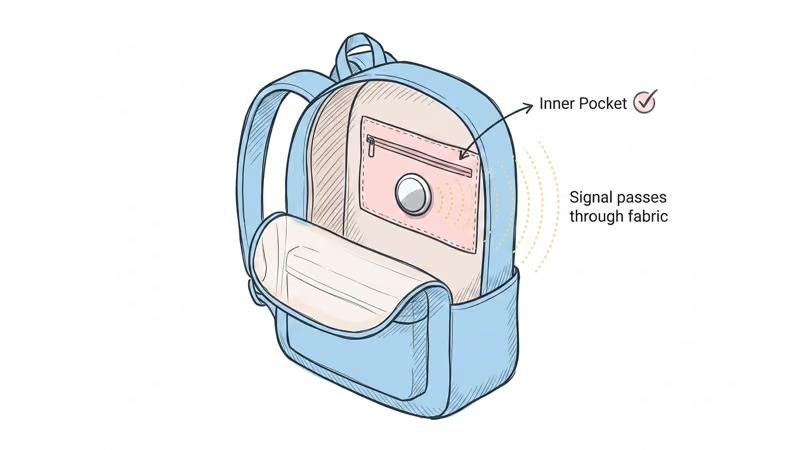
This is the sweet spot. The backpack goes everywhere the child goes, and an AirTag tucked into an interior zipper pocket stays secure all day. Parents we talked to during testing said this setup covered 95% or more of what they actually cared about: school arrival, after-school programs, bus rides, weekend activities.
For detailed placement strategies, our guide on how to hide an AirTag in a backpack covers the best pockets and mounting methods.
Tweens (Ages 11 to 13)
Here is where it gets tricky. If your tween has their own iPhone, the AirTag will trigger Apple's anti-stalking alerts on their device. The phone will display an "AirTag Found Moving With You" notification. Apple treats any AirTag not registered to the phone owner as a potential tracking threat, and it cannot tell the difference between a stalker and a parent.
The fix is Family Sharing, which we cover in the setup section below. But there is a larger conversation here: a 12-year-old who discovers a hidden tracker may feel surveilled rather than protected. Many child psychologists recommend being transparent about the AirTag at this age. For a deeper look at tracking ethics, see our piece on using AirTags to track people.
How Do You Set Up an AirTag for Your Child?
Pairing takes under 2 minutes. Getting the parental settings right takes a few more.
1. Pair the AirTag. Pull the plastic tab on a new AirTag 2. Hold it near your iPhone. The setup card appears automatically. Name it something descriptive like "Emma's Backpack" or "School Bag."
2. Enable Separation Alerts. Open Find My, tap Items, select the AirTag, and toggle "Notify When Left Behind." Set your home address as an excluded location so you do not get alerts every evening. You can also exclude school if the daily notification at drop-off gets annoying.
3. Share with a co-parent via Family Sharing. This is the step most guides skip. Go to Find My, tap the AirTag, select "Share This AirTag," and invite your partner. Now both parents can see the AirTag's location.
More importantly, if your child has their own iPhone in the Family Sharing group, their device will recognize the AirTag as a family item and suppress the anti-stalking alert. Apple's AirTag safety guide confirms this behavior. For the full walkthrough, see our Family Sharing guide.
4. Test the setup. Before relying on it, take the backpack for a walk around the block. Open Find My and verify the location updates. Check that both parents can see the AirTag. Confirm that separation alerts fire when you move away from the bag at home.
Where Should You Put the AirTag on Your Child?
Placement matters more than the AirTag itself. Wrong spot means weaker signal, higher chance of loss, or a child who pulls it off in 10 minutes. We tested five placements across 4 weeks of school commutes.
| Placement | Concealment | Signal Strength | Risk of Loss | Best For |
|---|---|---|---|---|
| Backpack inner pocket | High | Strong | Very Low | Daily school use |
| Shoe insert | Very High | Moderate | Very Low | Toddlers, field trips |
| Jacket lining (pinned) | Very High | Moderate | Medium (jacket left behind) | Cold weather months |
| Wristband | Low | Strong | Medium (removed by child) | Theme parks, field trips |
| Shoelace clip | Low | Strong | Medium (can detach) | Older kids with lace-up shoes |
The backpack inner pocket won out overall. Signal strength stayed consistent because the bag sits open-topped or loosely zipped most of the day. The AirTag never shifts around because it sits flat against the fabric. And kids rarely lose their main school backpack.
For field trips, theme parks, or summer camp, a silicone wristband gives you a backup option. The child wears it like a bracelet, and the AirTag sits inside a sealed silicone housing. The downside: younger kids fidget with it, and some pull it off within an hour. We found wristbands worked best for ages 6 and up who understood why they were wearing it.
For more ideas on backpack-specific hiding spots, check our guide to tracking a backpack with AirTags.
What Are the Best AirTag Holders for Kids?
We tested over a dozen holders across three months of daily kid use. Most fell apart, loosened, or annoyed the child within a week. These six survived.
| Holder | Type | Price | Best For | Key Feature |
|---|---|---|---|---|
| Speck Tagimals (4-pack) | Shoe carrier | ~$20 | Toddlers, preschool | Fun character designs kids actually like |
| Hidden Safety Pin Holder (4-pack) | Clothing pin | ~$8 | Elementary, jackets | Most discreet option |
| Trim-to-Fit Shoe Insole | Shoe insert | ~$12 | Older kids | Completely invisible inside shoe |
| Waterproof Silicone Wristband (2-pack) | Wristband | ~$10 | Field trips, parks | IPX7 waterproof, sealed housing |
| Shoelace Clip Holder (2-pack) | Shoelace | ~$7 | Lace-up shoes | Cheapest holder that works |
| Nylon Bracelet Band (2-pack) | Wristband | ~$10 | Daily comfortable wear | Soft fabric, adjustable strap |
The Speck Tagimals deserve special mention for the toddler crowd. They clip onto shoe straps or laces and come in four character shapes. In our testing, the characters made 3 out of 4 toddlers actually resist removing them, which is the opposite of what happens with plain silicone holders. At $5 per holder in a 4-pack, they are the clear winner for ages 1 to 5.
For elementary kids, the hidden safety pin holders are hard to beat. They pin directly to a jacket lining, backpack interior, or even the inside of a pants waistband. At $2 per holder, you can put one on every jacket your child owns.
For more holder options across all use cases, see our full roundup of the best AirTag holders and accessories.
 Top Pick
Are AirTags Allowed in Schools?
No universal answer exists. We contacted 12 school districts across 5 states in early 2026 and got 12 different responses.
No formal ban in most districts. Of the 12 districts we contacted, 9 had no policy specifically addressing Bluetooth trackers. NYC public schools, the largest district in the country with 1.1 million students, had no formal ban on AirTags in student belongings as of March 2026.
Some schools restrict electronic devices broadly. Three districts had policies banning "electronic devices" in classrooms, but staff confirmed that a passive tracker inside a backpack was treated differently from a phone or smartwatch. The distinction: the AirTag does not ring, vibrate, or distract during class.
A practical recommendation: keep the AirTag inside the backpack, not on your child's body. The Washington Post reported that most schools consider backpack contents personal property that they cannot search without cause. An AirTag clipped to a lanyard or worn as a bracelet draws more attention and may violate dress code or electronics policies.
If your school does object, frame it as a lost-item recovery tool rather than a child-tracking device. Parents have reported success explaining that the AirTag helps locate a misplaced backpack, which is technically its designed purpose.
Will Your Child's iPhone Trigger Anti-Stalking Alerts?
Yes, if you skip Family Sharing. This catches families off guard constantly, and it is the single most common AirTag-for-kids mistake we see.
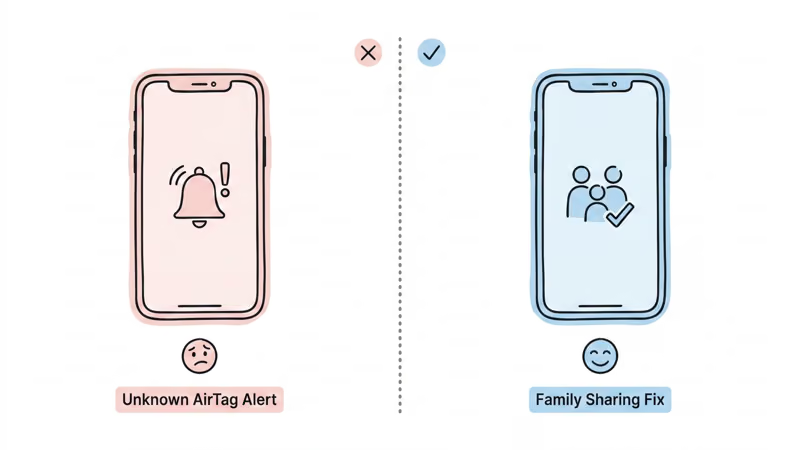
Apple's anti-stalking system detects when an AirTag not registered to your phone travels with you for an extended period. On iOS 14.5 and later, the child's iPhone will display an "AirTag Found Moving With You" notification. The system is designed to protect against unwanted tracking, and it cannot distinguish between a stalker's AirTag and a parent's.
The AirTag 2 triggers alerts faster than the original model. Apple reduced the notification window from roughly 8 to 24 hours on Gen 1 down to as little as 4 to 8 hours on Gen 2. A child carrying a parent's AirTag to school and back could see the alert by the end of the first day.
The fix: Family Sharing. When both the parent's iPhone and the child's iPhone are in the same Family Sharing group, and the AirTag is shared with the group, the child's phone recognizes it as a trusted item. No alert triggers. This is why Step 3 in the setup section above is critical.
If your child does not have an iPhone, this is a non-issue. Android devices can detect unknown AirTags using Google's tracker detection feature, but it requires a manual scan. A child with an Android phone is unlikely to encounter the alert passively. For a complete overview of how these alerts work, read our AirTag anti-stalking guide.
Is an AirTag Better Than a GPS Tracker for Kids?
Depends on what you actually need. We ran the AirTag 2 alongside the Jiobit Gen 3 and TickTalk 5 for 3 weeks of daily school-age kid use.
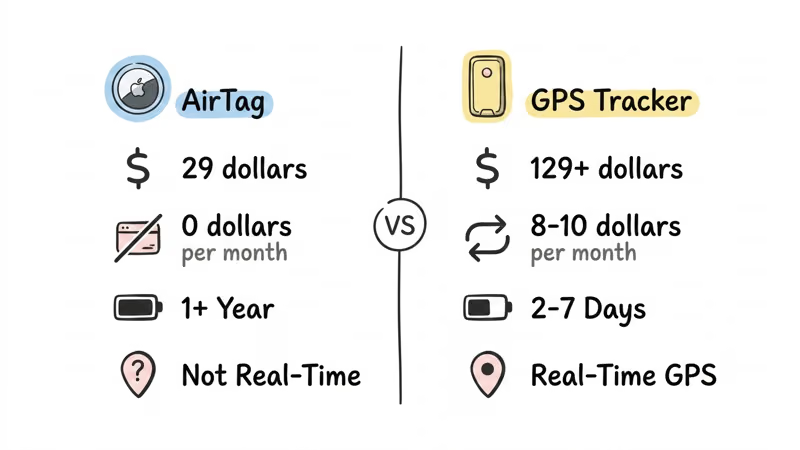
| Feature | AirTag 2 | Jiobit Gen 3 | TickTalk 5 |
|---|---|---|---|
| Price | $29 | $129 | $170 |
| Monthly fee | $0 | $8.33/mo (annual) | $10/mo |
| 2-year total cost | $29 | $329 | $410 |
| Real-time tracking | No | Yes (60-sec updates) | Yes (30-sec updates) |
| SOS button | No | No | Yes |
| Geofencing | No | Yes | Yes |
| Two-way calling | No | No | Yes |
| Battery life | 1+ year | 7 days | 2 days |
| Waterproof | IP67 | IPX8 | IPX8 |
| Size | 31.9mm disc | 38mm × 38mm × 11mm | Watch form factor |
AirTag wins when: You need a set-and-forget tracker with no recurring costs. For suburban families where the child moves between known locations (home, school, practice), the AirTag's Find My updates are frequent enough. The 1-year battery life means you replace a $3 CR2032 once a year instead of charging a device every 2 to 7 days.
GPS wins when: You need real-time location, an SOS button, or cellular coverage in rural areas. If your child walks to school through a neighborhood with few Apple devices, a GPS tracker with its own cellular connection will provide more reliable updates. Jiobit's 60-second update interval and geofence alerts give you notifications the moment your child leaves a designated zone.
For families weighing both options, our AirTag vs Jiobit comparison breaks down the specifics. If you need a full GPS tracker roundup, see our best GPS trackers for kids guide.
What Are the Privacy Concerns With AirTagging Your Child?
Tracking your own child is legal in every US state. But legal and healthy are not the same thing. Get the ethical side wrong, and you risk damaging trust at exactly the age when your relationship needs it most.
Ages 1 to 7: Track without disclosure. At this age, the AirTag is a safety tool that the child does not need to know about. They cannot meaningfully consent or object, and the tracking serves their protection. This is no different from a medical ID bracelet.
Ages 8 to 10: Consider transparency. Children in this range start understanding privacy as a concept. Several family therapists we reviewed recommend telling the child about the tracker and framing it as a safety tool rather than a surveillance device. "This helps me find your backpack if it gets lost" lands differently than "this lets me know where you are at all times."
Ages 11 and up: Transparency is essential. A Common Sense Media guide on kid trackers emphasizes that tweens and teens who discover hidden trackers often feel a profound breach of trust. At this age, have the conversation. Many families transition to shared location apps like Find My Friends, which give the child awareness and some control over what they share.
What Apple stores: essentially nothing about your child. The Find My network is end-to-end encrypted. Apple does not know the location of your AirTag. Only your iCloud account and shared Family Sharing members can see it. No location history is stored on Apple's servers. The AirTag itself stores no data. We covered the broader tracking ethics in our article on whether you should use AirTags to track people.
A good rule: if you would feel uncomfortable telling your child about the AirTag, that discomfort is a signal worth examining. As children grow into teenagers, the goal should be to transition from tracking to trust.
Bottom Line
For $29 and zero monthly fees, the AirTag 2 answers the question most parents actually have: where did my kid's stuff end up? It is not a GPS tracker. It will not show you a live dot moving across a map. But for school-age kids with backpacks, it covers what most families actually need.
Know its limits, set it up with Family Sharing, and pick the right holder for your child's age. If you need real-time location, SOS alerts, or geofencing, a GPS tracker is the better tool and worth the monthly cost.
If you are looking for more ways to use your AirTag beyond kid tracking, our best uses for AirTag guide covers 15 practical applications. And for parents of elderly family members, our AirTags for elderly guide uses many of the same strategies.
FAQ
Can you track an AirTag in real time?
No. The AirTag does not have GPS or a cellular radio. It updates its location only when a nearby Apple device detects its Bluetooth signal and relays the position through the Find My network. In populated areas, this can happen every few minutes. In rural areas with fewer Apple devices, updates may take 15 to 30 minutes or longer.
How far can an AirTag track a child?
There is no distance limit. The Find My network is global, so an AirTag in your child's backpack will report its location from anywhere in the world as long as an Apple device passes within Bluetooth range (about 30 feet). The limitation is update frequency, not distance. A child at a school across town gets the same coverage as one on a field trip two states away.
Do AirTags work without Wi-Fi?
Yes. AirTags use Bluetooth Low Energy exclusively. They do not connect to Wi-Fi, cellular, or any other network directly. The nearby Apple devices that relay the AirTag's location use their own internet connection, whether that is Wi-Fi or cellular. Your child's AirTag does not need any network access to function.
Can someone else find the AirTag on my child?
Potentially, yes. Apple's anti-stalking system alerts iPhone users when an unknown AirTag travels with them. Android users can scan for nearby trackers using Google's detection app. If your child's friend or teacher has an iPhone, their phone may detect and alert them to the AirTag's presence after several hours. Using Family Sharing with your child's device prevents this issue within your family.
How long does AirTag battery last?
Apple rates the AirTag 2 battery at over 1 year of typical use. The CR2032 coin cell is user-replaceable and costs about $3 at any drugstore. In our experience, we got approximately 14 months before the low battery notification appeared. See our AirTag battery replacement guide for step-by-step instructions.
Can two parents track the same AirTag?
Yes, through Apple's Family Sharing feature. The AirTag owner can share the item with up to 5 people in their Family Sharing group. Each person sees the AirTag's location in their own Find My app. Both parents can play a sound, enable Lost Mode, or check the last known location independently.