Installing a tracker isn’t just a hardware task. It also creates a record of where a vehicle and its drivers travel.
Start with a vehicle you own or are authorized to manage. Tell regular drivers what the system records, who can see it, how long access lasts, and how they can raise a concern. Without ownership or informed permission, vehicle tracking can be abusive or illegal.
This guide compares four legitimate setup paths. It doesn’t explain how to conceal a tracker, enter body cavities, work beneath a vehicle, or modify automotive wiring.
If the goal is locating a person, read the people-tracking consent boundary first.
- Check the factory system first. A connected-car feature may meet the need without adding hardware.
- Treat compatibility as vehicle-specific. The vehicle manual and tracker manual both need to approve the connection and use.
- Keep removable devices visible and accessible. A portable or plug-in unit should not become a concealed surveillance tool.
- Leave hardwiring to a qualified installer. Airbags, trim, battery protection, and high-voltage systems aren’t generic DIY projects.
- Plan the end of access. Remove former drivers, shared accounts, and hardware when the authorized purpose ends.
Start With Ownership, Consent, and the Vehicle Manual
Write down the purpose before choosing hardware. Theft recovery, fleet dispatch, mileage records, and consensual family location sharing have different data and access needs.
Then define the people boundary.
- Confirm that you own the vehicle or have explicit authority to manage it.
- Inform regular drivers that location data is collected and identify the people or organization that can view it.
- For a rental, workplace, teen-driver, shared-family, or financed vehicle, check the applicable contract, policy, and local rules rather than relying on a universal legal claim.
- Use individual accounts where the service supports them. Don’t share one password across a household or fleet.
- Record how access will be removed when a driver, employee, rental, or tracking purpose ends.
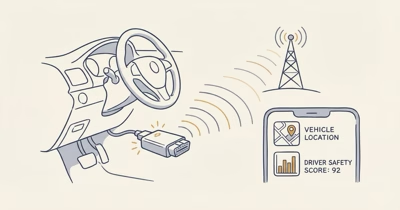
Safety Net confirms that connected cars can expose location through the manufacturer’s app, shared accounts, diagnostic-port devices, or a phone left in the vehicle. That means an installation review should cover account access as well as hardware.
If the vehicle or product manual conflicts with a general guide, the manual wins. Ask the vehicle manufacturer, tracker maker, fleet administrator, or qualified installer when compatibility is unclear.

Which of the Four Methods Fits the Vehicle?
Choose the least invasive method that meets the authorized purpose.
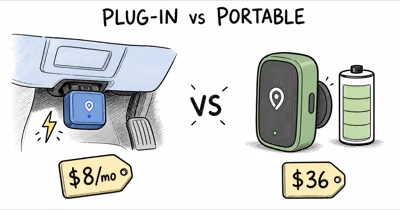
The four categories are factory accounts, visible plug-ins, portable interior units, and professional hardwiring.
| Method | Added hardware | Best fit | Main boundary |
|---|---|---|---|
| Factory account | None | Supported connected vehicle | Review every user and shared driver |
| Visible plug-in | Removable powered device | Compatible authorized vehicle | Both manuals must approve it |
| Portable interior unit | Battery-powered device | Temporary, removable use | Secure visibly within product limits |
| Professional hardwire | Permanent installed system | Fleet or long-term requirement | Qualified installer owns the electrical work |
Don’t add a device merely because a vehicle has a diagnostic connector. EPA confirms that model year 1996 and newer light-duty vehicles use onboard diagnostic systems, but that broad requirement does not prove that a particular tracker is compatible with every port, vehicle network, or power-management behavior.
A clean choice is also reversible. You should know how to disable account access, unplug or remove approved hardware, cancel service, and delete retained data when the tracking purpose ends.
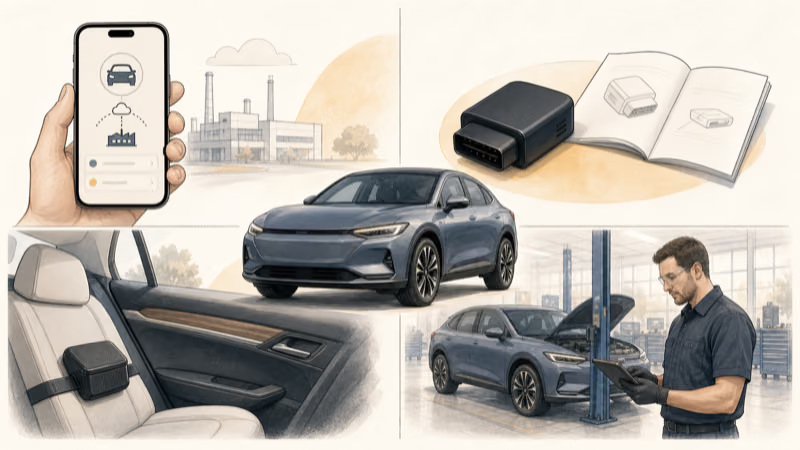
Factory and Connected-Car Setup
Check exact-model and regional support in the manufacturer’s official manual.
Use the official account-recovery flow rather than creating a shared login. Review owners, drivers, family members, delegated users, phone keys, dealer access, and old devices. Remove only access you are authorized to change.
Before turning the feature on, check:
- what location or trip data the service stores;
- whether another user receives a notice when access changes;
- which emergency, roadside, theft-recovery, or remote-control features depend on the same account;
- how to revoke a driver without locking an authorized person out of the vehicle; and
- how deletion and retention requests work.
Factory location isn’t automatically private or permanent. Revisit the user list after selling the vehicle, ending a rental, changing employees, separating accounts, or replacing a phone.
Visible OBD or Portable Installation
For a plug-in device, verify the exact vehicle and product in both manuals. The product maker should identify supported model years, voltage expectations, account setup, safe removal, and whether the device may remain connected while the vehicle is parked for long periods.
Keep the connection visible and accessible. Don’t route it behind trim, disguise it, add extension wiring, or defeat a removal alert. If the connector doesn’t seat normally, interferes with pedals or driver movement, triggers a dashboard warning, becomes hot, or changes vehicle behavior, stop and contact the vehicle or tracker manufacturer.
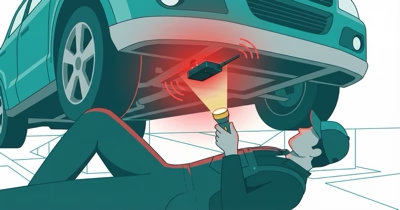
Secure a portable tracker visibly inside the vehicle. Don’t attach it beneath the vehicle or conceal it in body panels.
- Keep it clear of controls and airbag deployment zones.
- Prevent it from becoming a projectile during braking or a collision.
- Follow the product’s heat, moisture, charging, and mounting limits.
Before the first normal trip, confirm only the basics: the authorized account can see the expected vehicle, regular drivers know the system is active, notifications work, and the device remains secure without affecting driving. Don’t use a live route as a test of someone who hasn’t agreed to be tracked.
When Should a Professional Hardwire the Tracker?
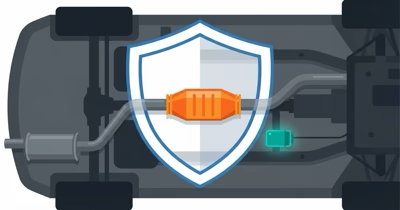
Use a qualified installer when the system needs permanent vehicle power, ignition-state input, integration with fleet hardware, trim removal, or any connection beyond a documented removable accessory.
Don’t probe fuses, splice factory wiring, identify constant-power circuits, route cable around airbags, or open high-voltage areas from a generic online diagram. Wire colors and fuse layouts vary, and a tracker that works at first can still create a later battery, fault, or safety problem.
This boundary is especially important for electric and hybrid vehicles. NHTSA states that electric and hybrid vehicles use high-voltage systems and recommends qualified technicians for related service after damage. A consumer tracker install shouldn’t become an experiment near those systems.
Give the installer a written brief:
- exact vehicle identification and tracker model;
- the authorized operational purpose;
- manufacturer installation documentation;
- required account owner and driver-notice plan;
- requested service record and removal procedure; and
- a requirement not to cut, splice, or alter systems unless the vehicle and device documentation expressly permit it.
Ask the installer to demonstrate account access, document where service technicians need to know about the device, and explain safe removal. You don’t need or want a concealment map for other people.

Privacy, Warranty, and Removal Boundaries
An aftermarket accessory doesn’t automatically erase an entire vehicle warranty. The FTC explains that warranty coverage generally can’t be denied merely because aftermarket parts or independent service were used. Coverage can still be denied for damage caused by a defective part or improper installation.
Keep the product manual, compatibility confirmation, installer invoice, service record, account-owner list, and removal instructions. If the vehicle develops an electrical fault, stop using the accessory and let the vehicle manufacturer or qualified technician diagnose causation.
Privacy needs its own offboarding checklist:
- End shared-driver and delegated account access.
- Remove authorized hardware according to the product and vehicle instructions, or return to the installer.
- Cancel cellular or app service only after required records and emergency features are understood.
- Request deletion where appropriate and record what the provider says it retains.
- Reset or transfer the connected-car account before sale, rental return, employment change, or ownership transfer.
If you discover a device you didn’t authorize, don’t use this installation guide to remove or trace it. Start with the vehicle tracker safety guide, which separates immediate safety, account review, visible checks, and professional inspection.
Bottom Line
The best installation is the least invasive authorized method that meets a defined need.
Use the factory system when it already fits. Choose a compatible visible plug-in or secured interior portable unit when temporary hardware is necessary. Use a qualified installer for permanent wiring.
Across all four methods, tell drivers, control accounts, follow both manuals, document removal, and stop before concealment or DIY electrical work.
FAQ
What is the safest way to install a GPS tracker in a car?
Use the vehicle’s supported factory feature first. If added hardware is necessary, choose a compatible visible removable device or a qualified professional installation for a vehicle you own or are authorized to manage.
Can I install a tracker in a car without telling the driver?
Don’t assume ownership alone resolves consent, privacy, employment, rental, family, or local-law duties. Inform regular drivers what is collected, who can access it, and when tracking ends; seek qualified local advice when the situation is unclear.
Does every car made after 1996 support an OBD GPS tracker?
No. OBD systems are broadly required on newer light-duty vehicles, but connector presence doesn’t prove that a particular tracker is electrically, physically, or digitally compatible. Check both manuals and exact-model support.
Can I hide a magnetic tracker underneath my car?
This guide doesn’t recommend exterior or concealed placement. It can create safety, consent, weather, attachment, and surveillance risks. Use a visible manufacturer-approved interior location or a qualified professional system instead.
Should I hardwire a GPS tracker myself?
Not from a generic guide. Vehicle wiring, airbags, trim, power management, and electric-vehicle high-voltage systems vary. Use a qualified installer who follows the exact vehicle and tracker documentation.
Will a GPS tracker void my car warranty?
An aftermarket accessory doesn’t automatically void the entire warranty, but damage caused by a defective device or improper installation may not be covered. Keep compatibility and installation records and ask the warrantor about a specific claim.
What should I do when authorized vehicle tracking is no longer needed?
Revoke shared users, remove the device through the documented process, cancel service at the appropriate time, review retained data, and reset or transfer the connected-car account before the vehicle or role changes hands.