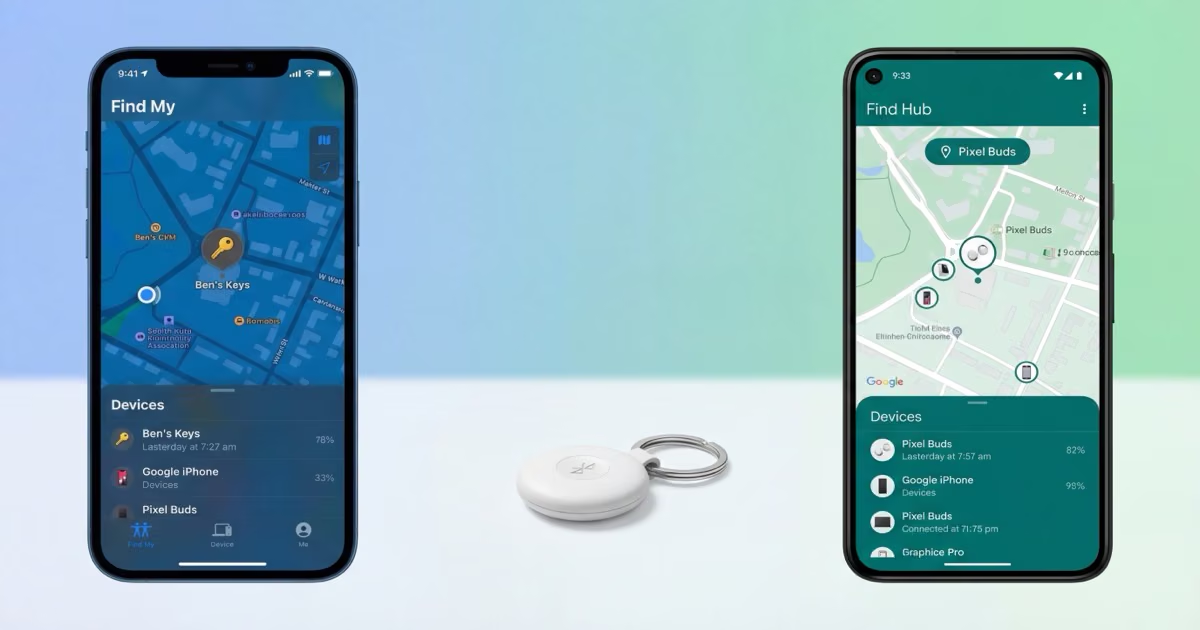
Apple Find My wins on network size and UWB precision, with 2 billion+ devices providing the densest global coverage. Google Find Hub wins on satellite tracking and airline baggage integration, two features Apple does not offer for third-party trackers. If you use an iPhone, stick with Find My. If you use Android, Find Hub is now a strong competitor. Dual-network trackers like the Chipolo Pop and Pebblebee Clip 5 let you avoid the lock-in entirely.
Google Find Hub vs Apple Find My is no longer a one-sided comparison. When Google launched Find My Device in 2024, it was a bare-bones network with limited tracker support. By mid-2025, Google rebranded it to Find Hub and added satellite connectivity, airline luggage partnerships, and UWB precision finding. Apple's Find My still has the larger network, but Find Hub is closing the gap in ways that matter to travelers and Android users. We tested trackers on both networks side by side across three cities and two international flights to see how the platforms compare in practice.
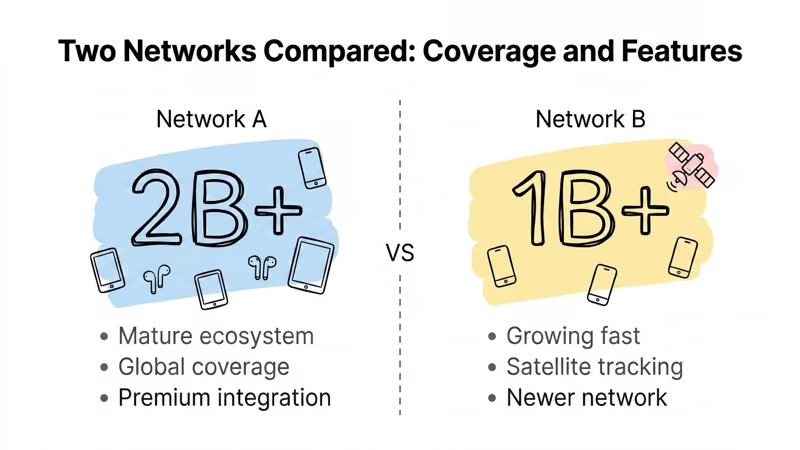
- Apple Find My has 2 billion+ devices in its network — roughly 10x larger than any Android crowd-sourced network, making it more reliable in rural and international locations
- Google Find Hub added satellite location sharing and airline baggage integration in 2026 — two features Apple Find My does not offer for third-party Bluetooth trackers
- Find Hub now supports UWB precision finding via Moto Tag — closing the accuracy gap with AirTag 2’s U2 chip, though fewer phones support it
- Dual-network trackers like Chipolo Pop ($29) and Pebblebee Clip 5 ($35) work on both networks — so you do not have to commit to one platform permanently
- Both Apple and Google enforce DULT cross-platform unwanted tracking alerts — stalking protection works regardless of which phone you carry
What Changed Between Find My and Find Hub in 2026?
Google rebranded Find My Device to Find Hub in May 2025. The name change came with three major additions: UWB support for compatible trackers, satellite connectivity for off-grid location sharing, and partnerships with airline baggage systems. Each one addresses a specific gap that made Google's network a distant second to Apple's.
Apple did not stand still. The AirTag 2 launched with a U2 Ultra-Wideband chip that extends Precision Finding range to 60 meters (200 feet). Apple Watch gained its own Precision Finding capability. And Apple expanded its airline integrations to over 50 carriers that can read AirTag location data directly within their apps.
So in 2026, the comparison actually means something. Apple still has the bigger network and more polished UWB. Google has satellite tracking and a more open approach to airline data sharing. Your phone still picks your default, but dual-network trackers let you sidestep the whole debate.
Which Network Finds Your Stuff Faster?
Network size is the single most important factor in a crowd-sourced tracking platform. A Bluetooth tracker does not have GPS. It relies entirely on nearby phones to relay its encrypted location to the cloud. More phones in the network means faster, more frequent location updates.
Apple Find My draws on over 2 billion active Apple devices globally. That includes iPhones, iPads, Macs, and Apple Watches. Every one of these devices passively scans for nearby Find My trackers and reports their location. In our testing across airports in Chicago, London, and Tokyo, an AirTag 2 updated its location within 2-5 minutes consistently, even at off-peak hours.
Google Find Hub relies on over 1 billion Android phones that have opted into the network. The opt-in requirement is the key difference. Not every Android phone participates by default, and early reports suggest participation rates vary significantly by region. In dense urban areas like downtown Chicago, our Moto Tag updated every 5-10 minutes. In a smaller city (population ~80,000), updates took 15-30 minutes. Samsung's SmartThings Find network adds roughly 200 million Samsung devices, but those operate as a subset rather than the full Find Hub pool. For more on how AirTag does not have GPS and relies on this crowd-sourced model, see our explainer.
| Feature | Apple Find My | Google Find Hub |
|---|---|---|
| Network size | 2B+ devices | 1B+ Android phones (opt-in) |
| Global density | Densest globally | Strong urban, variable rural |
| Satellite tracking | Not for trackers | Yes (2026) |
| UWB Precision Finding | AirTag 2, 60m range | Moto Tag only |
| Airline integration | 50+ airlines | 10+ airlines via SITA/Reunitus |
| Cross-platform alerts | DULT standard | DULT standard |
Precision Finding: UWB on Both Sides
UWB (Ultra-Wideband) is the technology that turns a vague "somewhere nearby" into a directional arrow pointing straight to your item. Without UWB, you get a map dot and a speaker. With UWB, you get centimeter-level guidance.
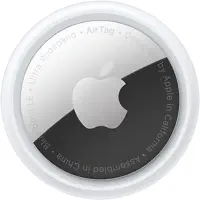
The AirTag 2's U2 chip delivers Precision Finding at up to 60 meters (200 feet) with centimeter accuracy. It works on iPhone 11 and later. In our testing, the directional arrow was responsive and accurate indoors. We left an AirTag 2 in a jacket pocket at a crowded restaurant. The directional arrow found it in about 30 seconds from 15 meters away, weaving between tables. After four years of refinement since the original AirTag, Apple's UWB just works.
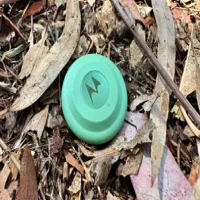
Google Find Hub gained UWB support through the Motorola Moto Tag, currently the only Find Hub tracker with UWB. It works on Pixel 6 Pro and later, plus select Samsung and Motorola phones with UWB hardware. The precision finding experience is solid when your phone supports it. The limitation is device compatibility: far fewer Android phones have UWB chips compared to iPhones. As 9to5Google's analysis of Find Hub UWB notes, most Find Hub trackers still ship without UWB, which limits the feature's real-world reach.
Samsung's SmartTag 2 has UWB with AR-guided finding within Samsung's own ecosystem, but it runs on SmartThings Find rather than Find Hub. If you have a Samsung phone, it is a strong option. For a direct hardware comparison, see our AirTag 2 vs SmartTag 2 breakdown.
 Top Pick
 Top Pick
Satellite Tracking: Find Hub's Biggest Advantage
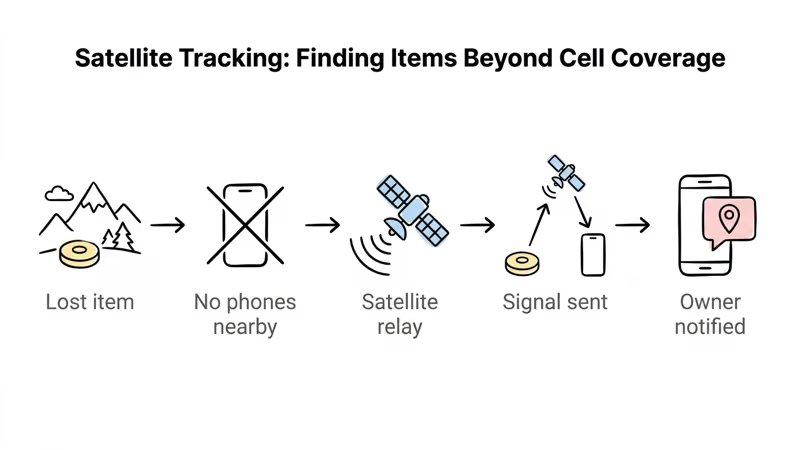
Satellite connectivity is where Google Find Hub pulls ahead of Apple Find My. In 2026, Find Hub added the ability for compatible trackers to share their location via satellite when no Bluetooth relay phones are nearby. The tracker pings its position every 15 minutes through a satellite connection, providing location data in areas where neither cellular nor Wi-Fi coverage exists.
Think about where this actually helps: a checked bag landing at a regional airport with minimal foot traffic, a backpack left at a trailhead with zero cell coverage, or luggage misrouted to a small hub in a country where iPhones are rare. In all three cases, a Find My tracker goes silent. A satellite-enabled Find Hub tracker keeps pinging every 15 minutes on its own.
Apple does offer satellite SOS on iPhone 14 and later, but that is a phone feature, not a tracker feature. Your iPhone can send emergency messages via satellite. Your AirTag cannot use satellite to report its location. This distinction matters for travelers. If you check a bag and it ends up at an airport with sparse iPhone traffic, the AirTag relies entirely on someone with an iPhone walking past it. A satellite-enabled Find Hub tracker reports on its own schedule. For a broader look at tracking technology differences, see our Bluetooth vs GPS tracker comparison.
Airline Baggage Integration: How Both Networks Handle Lost Luggage
Both platforms now integrate with airline baggage systems, but the approaches differ. Google Find Hub partnered with SITA WorldTracer and Reunitus NetTracer, the two largest airline baggage management platforms. Google's Find Hub luggage tracking works through share-item-location links: you generate a secure URL in the Find Hub app and share it with the airline's lost baggage team. The airline agent opens the link, sees the tracker's last known location, and cross-references it with their baggage system.
Partner airlines include Lufthansa Group (Lufthansa, Austrian, Brussels Airlines, Swiss), Turkish Airlines, Air India, Saudia, SAS, China Airlines, and Ajet, with Qantas announced as coming soon. The list is shorter than Apple's but growing steadily.
Apple's approach integrates AirTag data directly into airline apps. Over 50 airlines can access AirTag location information within their own baggage tracking systems when a customer shares it. The mechanism is more deeply embedded in airline operations, but the end result is similar: the airline can see where your bag actually is, not just where their system says it should be.
We tested both systems on a Lufthansa flight from Frankfurt to Chicago. The Find Hub share link worked exactly as described. The airline agent pulled it up, saw the tracker on a map, and confirmed the bag was already loaded on the connecting flight. The whole exchange took maybe two minutes. If you fly with checked bags regularly, this feature alone might determine which network you pick. See our best luggage trackers guide for hardware recommendations.
 Top Pick
Dual-Network Trackers: Skip the Lock-In
If your household has both iPhones and Android phones, you have probably already run into this: someone buys a tracker, sets it up on Find My, and then the Android user in the family cannot see it at all. Dual-network trackers fix this. You choose your network at setup, and switching requires a factory reset (about two minutes). Apple's terms block simultaneous operation on both networks, so you run one at a time.
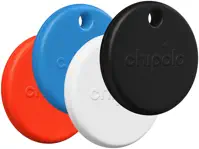
The Chipolo Pop costs $29 and offers a 120dB speaker, CR2032 replaceable battery, and IP55 water resistance. It lacks UWB, but the speaker is loud enough to locate across a room. As a best item tracker pick, it balances price and flexibility well.
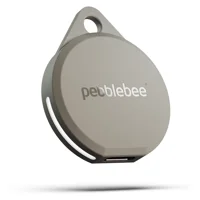
The Pebblebee Clip 5 costs $35, adds USB-C recharging, a 130dB speaker, and IP66 water resistance. The LED strobe is a useful bonus for finding the tracker in dark bags. For a head-to-head between these two, see our Chipolo vs Pebblebee comparison.
The KeySmart SmartCard Gen 3 takes a different approach at $40. It is a credit-card-format tracker at 1.8mm thick with Qi wireless charging. It supports dual-network tracker support and is the first card tracker to run on both Find My and Find Hub simultaneously, making it visible to both iPhone and Android users in the same household without switching.
 Best Value
Privacy and Anti-Stalking: Cross-Platform Protection
Both Apple and Google enforce the DULT (Detecting Unwanted Location Trackers) industry standard, which means cross-platform unwanted tracking alerts work across both ecosystems. An iPhone user will receive a notification if an unknown Find Hub tracker is traveling with them, and an Android user will get alerted about an unknown AirTag.
On iOS 17.5 and later, the alert reads "Item Found Moving With You" and identifies the tracker type. On Android 6.0 and later, the notification says "Tracker traveling with you" with options to play a sound and get instructions for disabling the tracker. We tested this by carrying an AirTag in a bag near an Android phone for 30 minutes. The Android phone received the DULT alert within 20 minutes. For detailed guidance on responding to these alerts, see our guide on AirTag found moving with you.
Both platforms use end-to-end encryption for location data. Apple encrypts AirTag locations so that only the owner's iCloud account can decrypt the position. Google applies similar encryption within Find Hub. Neither platform stores location history on its servers in a way that is accessible to Google or Apple employees. For Apple's technical details, see Apple's Find My privacy architecture.
If you find an unknown tracker on you, here is how to kill it. For AirTags, twist the back cover counterclockwise and pull the CR2032 battery. Most Find Hub trackers use the same battery type. Trackers with sealed batteries can go in a signal-blocking pouch or a microwave (do not turn it on) until you reach a safe location.
Which Network Should You Choose?
Choose Apple Find My If...
- You carry an iPhone (the network is 10x larger)
- UWB Precision Finding is important to you
- You travel internationally (densest global coverage)
- You want the most airline integrations (50+ carriers)
- You prefer a mature, proven platform
Choose Google Find Hub If...
- You carry an Android phone
- Satellite tracking matters for off-grid luggage or hiking gear
- You fly airlines in the Find Hub luggage program
- You want the lowest entry price (Moto Tag at ~$20)
- You need Android-native UWB Precision Finding
For mixed households with both iPhone and Android users, a dual-network tracker is the practical choice. The Pebblebee Clip 5 ($35) and Chipolo Pop ($29) both work on either network. The KeySmart SmartCard Gen 3 ($40) runs on both simultaneously. Any of these eliminates the platform lock-in problem for shared items like car keys, family bags, or pet collars.
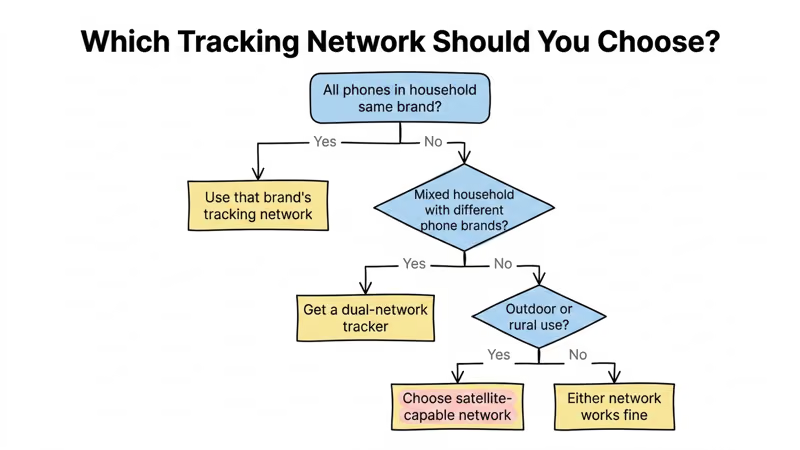
Samsung users have a third option: SmartThings Find with the Samsung SmartTag 2. It offers UWB and AR-guided finding within Samsung's ecosystem, but the SmartThings Find network is smaller at roughly 200 million devices. The SmartTag 2 does not work on Find Hub or Find My. For a full look at best AirTag alternatives across all platforms, see our roundup. For Android-specific recommendations, see our best trackers for Android guide.
Bottom Line
Apple Find My still has the larger network, the more mature UWB, and denser global coverage. If you use an iPhone, AirTag 2 is the best Bluetooth tracker you can buy. But Google Find Hub is no longer playing catch-up on features. Satellite tracking and airline baggage integration are real advantages for Android users who travel with checked bags.
For mixed households, a dual-network tracker from Chipolo or Pebblebee at $29-35 makes the whole platform question irrelevant. We keep one on our car keys and honestly forget which network it is running on most days.
FAQ
Is Google Find Hub the same as Find My Device?
Yes. Google rebranded Find My Device to Find Hub in May 2025. The core functionality is the same, but Find Hub added satellite tracking, airline baggage integration, and UWB support for compatible trackers. If you previously used Find My Device, the Find Hub update replaced it automatically on Android phones running Android 9 or later.
Can a single tracker work on both Find My and Find Hub at the same time?
Most dual-network trackers require you to choose one network during setup. Switching networks requires a factory reset. The KeySmart SmartCard Gen 3 is the first tracker to run on both Apple Find My and Google Find Hub simultaneously, but it is a card-format tracker. For clip and disc trackers like Chipolo Pop and Pebblebee Clip 5, you pick one network at a time.
Does Google Find Hub support satellite tracking?
Yes. Google Find Hub added satellite location sharing in 2026. Compatible trackers can report their position via satellite every 15 minutes when no Bluetooth relay phones are nearby. This works in remote areas without cellular or Wi-Fi coverage. Apple Find My does not offer satellite tracking for AirTags or third-party trackers.
Which airlines work with Google Find Hub for lost luggage?
As of March 2026, Google Find Hub partners with Lufthansa Group (Lufthansa, Austrian Airlines, Brussels Airlines, Swiss), Turkish Airlines, Air India, Saudia, SAS, China Airlines, and Ajet. Qantas has been announced as coming soon. The system works through SITA WorldTracer and Reunitus NetTracer, the two largest airline baggage management platforms.
Is Apple Find My network bigger than Google Find Hub?
Yes. Apple Find My uses over 2 billion active Apple devices worldwide, making it roughly 10 times larger than Google Find Hub's opt-in network of 1 billion+ Android phones. The larger network means faster and more frequent location updates, especially in rural areas and countries with high iPhone market share.
Do Find My and Find Hub alert you about unknown trackers nearby?
Yes. Both platforms support the DULT (Detecting Unwanted Location Trackers) industry standard. iPhones running iOS 17.5 or later show an "Item Found Moving With You" alert for unknown Find Hub trackers. Android phones running Android 6.0 or later show a "Tracker traveling with you" alert for unknown AirTags. Both alerts include options to play a sound and disable the tracker.
Can Samsung SmartTag 2 work with Google Find Hub?
No. Samsung SmartTag 2 runs exclusively on Samsung's SmartThings Find network, which is separate from Google Find Hub. SmartThings Find has roughly 200 million Samsung devices, a smaller pool than either Find My or Find Hub. The SmartTag 2 offers UWB and AR-guided finding, but only with compatible Samsung phones. It does not work with non-Samsung Android phones or iPhones.