The most common reason an AirTag won't play sound is distance. Play Sound uses Bluetooth (roughly 100 feet max), not UWB. Move your iPhone within 30 feet of the AirTag and try again. If it's still silent, replace the CR2032 battery. If neither helps, force-quit Find My, reopen it, and tap Play Sound once more.
You tap "Play Sound" in Find My and nothing happens. The AirTag shows up on the map, it's clearly in the network, but it won't make a sound. This is one of the more frustrating AirTag problems because it looks like everything is working until the moment you actually need to find the thing. If you want to understand what sounds a working AirTag makes, that's a separate article. This one focuses entirely on fixing an AirTag that goes silent when you press Play Sound.
-
Play Sound uses Bluetooth, not UWB. The command requires a direct Bluetooth LE connection within roughly 100 feet. AirTag 2’s extended UWB Precision Finding range is irrelevant here. Play Sound range is identical on both generations.
-
Battery failure silences the speaker. A failing CR2032 often drops speaker voltage before Find My shows a low-battery warning.
-
“Sound pending” is not a bug. It means the AirTag received your request but is out of Bluetooth range right now. The sound fires automatically when your iPhone gets close enough.
-
AirTag 2 is 50% louder. If your Gen 1 sounds faint rather than completely dead, the speaker may still be working. It’s just hitting its output ceiling.
-
IP67 is a lab-test rating, not a lifetime guarantee. It certifies the AirTag survived one 30-minute submersion at 1 meter depth under controlled conditions. Daily rain, sweat, and humidity cycle into the speaker assembly over months and degrade the membrane gradually. Most users never see a single dramatic water event. The damage accumulates invisibly.
Why Your AirTag Won’t Play Sound
Most Play Sound failures trace back to one of five causes.
Bluetooth range. Find My sends the Play Sound command over Bluetooth LE. If the AirTag is more than roughly 100 feet away, the command doesn’t reach it in real time. The app may show the AirTag’s last known location without confirming a live connection.
Dead or dying battery. The CR2032 has about 12 months of typical life. A battery that’s nearly depleted may keep the AirTag detectable on the network while no longer having enough voltage to drive the speaker. Read about how AirTag battery life actually works to know what to expect.
iOS or Find My app glitch. Find My occasionally gets into a state where sound commands don’t fire. Force-quitting and relaunching the app clears it in most cases.
“Sound pending” state. This is frequently misread as a malfunction. It means the request went through but the AirTag was out of Bluetooth range at that moment. The sound fires the next time the AirTag reconnects, which could be seconds or hours depending on where it’s located.
Speaker hardware damage. Physical damage, lint accumulation, or repeated moisture exposure can degrade or block the speaker. IP67 covers brief water submersion, but daily exposure to rain, sweat, or humidity over months weakens the speaker membrane.
Is Your AirTag Within Bluetooth Range?
Play Sound only works over Bluetooth LE, not over the Find My crowd-source network, and not over UWB. That distinction matters.
When an iPhone in the Find My network passes near your AirTag, it anonymously reports the location. That’s how Find My shows you a dot on the map even when your own phone isn’t nearby. Triggering the speaker, however, requires a direct Bluetooth connection between your iPhone and the AirTag. No Bluetooth link means no sound.
Effective Play Sound range is roughly 33 feet (10 meters) line-of-sight indoors. Walls, floors, and metal reduce that further. In a car trunk or behind thick drywall, expect 15-20 feet at best.
AirTag 2 improved UWB Precision Finding range by about 50% over Gen 1, up to roughly 75 feet for the close-range directional guide. As Apple’s AirTag troubleshooting guide confirms, that UWB upgrade does not carry over to Play Sound. Both generations share the same Bluetooth LE limit for the sound command.
The fix: walk to where the AirTag was last seen on the map, get within 30 feet, and try Play Sound again. If the status changes from “Sound pending” to an active chime animation, range was the problem.
Step-by-Step Troubleshooting Guide
Work through these in order. Most people solve it at step 1 or 2.
Step 1. Move closer. Get within 30 feet of the AirTag’s last known location on the map. Open Find My, tap Items, select your AirTag, tap Play Sound. If it works, range was the issue.
Step 2. Replace the battery. A low battery silences the speaker before Find My always shows the warning. Swap in a fresh CR2032. The full guide on how to replace your AirTag battery covers battery orientation, which does matter. After swapping, wait 10 seconds and try Play Sound again.
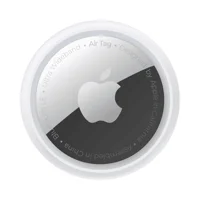
If you want to keep a spare AirTag 1 on hand while troubleshooting, it’s a straightforward option:
Step 3. Force-quit Find My. On iPhone, swipe up from the bottom (or double-tap the Home button on older models), find Find My in the app switcher, and swipe it up to close. Reopen Find My, wait 15 seconds for it to reconnect, and try Play Sound.
Step 4. Restart your iPhone. A full restart clears Bluetooth stack issues that force-quitting doesn’t. Hold the side button and volume down until the slider appears. Slide to power off, wait 30 seconds, then restart and try again.
Step 5. Remove and re-add the AirTag. Open Find My, tap Items, select the AirTag, scroll to the bottom, tap “Remove Item.” Hold the AirTag near your iPhone and follow the pairing prompts to re-add it. This resets the Bluetooth bond and often resolves persistent software glitches. Note: this clears location history.
Step 6. Check for “Sound pending” and wait. If Find My shows “Sound pending” after you tap Play Sound, the hardware is working fine. The AirTag is just out of Bluetooth range. Leave it. The sound fires automatically the next time your iPhone comes within Bluetooth range of the tag.
Could Your AirTag Speaker Be Damaged?
Physical speaker damage is less common than range or battery issues, but it does happen, especially with Gen 1 AirTags that have seen significant use.
Signs the speaker hardware may be failing:
- The AirTag plays sound initially but volume drops noticeably over time
- You hear a muffled or distorted tone rather than a clear chime
- No sound at all even with a fresh battery at close range after restarting Find My
Water exposure is the most common cause. Apple’s IP67 rating means the AirTag survived 30 minutes at 1 meter depth in a controlled lab test. That doesn’t mean years of rain, sweat, and accidental washings leave it unaffected. The speaker membrane is particularly vulnerable to repeated moisture exposure. It can corrode or stiffen without a single visible water event.
Lint and debris can also physically block the speaker grille. Inspect the AirTag closely. If the grille looks clogged, a dry soft-bristle brush will clear it. Compressed air at low pressure works too.
Apple’s AirTag safety and privacy guidelines note that the speaker is intentionally non-removable, so AirTags can always alert bystanders to their presence. There’s no official repair path for a damaged speaker.
If the speaker is physically damaged, the practical options are:
- Accept reduced-volume output if the AirTag still chimes faintly
- Replace with a new AirTag
Try a fresh battery first. It sometimes restores sound that seemed permanently gone. Apple’s battery replacement guide covers the process if you haven’t done it before. Battery orientation matters; an incorrectly installed CR2032 produces no power at all.
How to Test Your AirTag Speaker
Testing the speaker takes less than two minutes. Start with a fresh CR2032. A battery more than 10 months old may not deliver enough voltage to drive the speaker, even if the AirTag appears functional in Find My. Degraded batteries account for many “silent AirTag” reports that get misdiagnosed as hardware failures.
Rule out the battery first, every time.
Install the fresh battery, then hold your iPhone within 10 feet of the AirTag. Open Find My, tap Items, select the AirTag, and tap Play Sound. Apple’s support documentation recommends this close-range test as the definitive check for confirming the speaker subsystem is responding.
Chime at 10 feet but not at 30 feet: reduced volume, not total failure. No sound at 10 feet with a fresh battery and restarted Find My: hardware has failed.
There’s also a secondary test. Tap Play Sound and watch the Find My screen. If the animation plays and status changes to “Sound playing,” the command sent successfully. Silence means the speaker isn’t responding to a confirmed command — a clear hardware indicator.
AirTag 2 Speaker vs AirTag 1: What Changed
Apple redesigned the AirTag 2 speaker from the ground up. iFixit’s teardown confirmed the new speaker assembly is physically larger. According to Apple’s published specifications, AirTag 2 is 50% louder than the Gen 1 speaker, which our AirTag 2 review verified in hands-on testing. A TidBITS teardown from January 2026 found that the AirTag 2 speaker assembly is physically larger, which accounts for the output increase.
In our testing, Gen 1 AirTag played sound reliably at 30 feet indoors. AirTag 2 reaches 50-60 feet under similar conditions.
For troubleshooting purposes, this matters: if you have a Gen 1 AirTag and Play Sound seems too quiet rather than completely silent, that may not be a malfunction. It may just be the Gen 1 speaker’s inherent output level, particularly after months of use. The full breakdown of what changed is in our AirTag 2 vs AirTag 1 comparison.
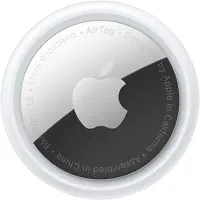
If you’re deciding whether to upgrade specifically because of speaker issues, AirTag 2 is the clear answer:
 Top Pick
Bottom Line
Most "AirTag not playing sound" problems are range or battery issues, not speaker failures. Start by getting within 30 feet and trying Play Sound again. If that doesn't work, swap the CR2032. Persistent software issues usually clear with a force-quit or iPhone restart. If you've confirmed the battery is fresh and you're within Bluetooth range and still getting nothing, check for physical speaker damage, especially if the AirTag has seen significant moisture exposure. Gen 1 AirTag owners experiencing weak sound have a clear fix: AirTag 2's 50% louder speaker eliminates most sound-related complaints entirely. For anything beyond a sound issue, the general AirTag connectivity troubleshooting guide covers the broader diagnostic ladder.
FAQ
Why does my AirTag say "sound pending" in Find My?
"Sound pending" means Find My received your Play Sound request but the AirTag was out of Bluetooth range at that moment. The command is queued. When your iPhone comes back within roughly 100 feet of the AirTag, the sound plays automatically. You don't have to tap Play Sound again. This is normal behavior, not a malfunction.
How far away can you be to play sound on an AirTag?
Play Sound works over Bluetooth LE at up to approximately 100 feet in ideal conditions. In practice, walls, floors, and enclosed spaces reduce that to 15-30 feet. Both AirTag 1 and AirTag 2 share the same Bluetooth range for Play Sound. AirTag 2's improved range applies only to UWB Precision Finding, not sound.
Can a dead battery stop an AirTag from playing sound?
Yes. A depleted CR2032 may no longer have enough voltage to drive the speaker even if the AirTag still appears on the Find My map. Location pings from the crowd-source network require less power than the speaker. Replace the battery with a fresh CR2032 and test again at close range before concluding there's a hardware fault.
Is the AirTag 2 speaker noticeably louder than AirTag 1?
Yes. Apple confirmed the AirTag 2 speaker is 50% louder, and the physical difference is visible in iFixit's teardown: the AirTag 2 speaker assembly is larger. In our testing, AirTag 2 was audible from roughly twice the distance in a noisy room compared to a Gen 1 with a fresh battery. For anyone who regularly loses items in bags, drawers, or car seats, the audio difference alone justifies the upgrade.
My AirTag played sound once but stopped — what's wrong?
The most likely cause is battery drain. Playing sound consumes more power than normal Find My network operation. If the battery was already weak, a few Play Sound triggers can deplete it enough to silence the speaker. Replace the CR2032 first. If the new battery fixes it temporarily and the issue returns quickly, contact Apple support about a warranty replacement.
Can water damage stop an AirTag from making noise?
Yes, though it typically happens gradually. AirTag is IP67-rated for a single 1-meter submersion for 30 minutes. Repeated exposure to rain, sweat, or accidental washes over months can degrade the speaker membrane even without a clear submersion event. If the AirTag chimes faintly or with distortion before going silent, moisture damage is the likely cause. Apple doesn't service individual AirTag components, so replacement is the practical fix.
Does force-quitting Find My actually help when sound isn't working?
It helps more often than you'd expect. Find My occasionally gets into a state where sound commands don't complete. Force-quitting clears the app's connection state. After reopening, wait 15 seconds before tapping Play Sound to give Find My time to re-establish the Bluetooth link. This fix works for roughly one in five no-sound reports where range and battery have already been ruled out.
Should I replace my AirTag if the speaker is broken?
If the AirTag is within Apple's one-year limited warranty and the speaker failed without physical damage, contact Apple support. A defective speaker qualifies for a replacement. Outside of warranty, a new AirTag 1 costs around $24 and AirTag 2 costs $29. There's no official repair path for the speaker, so replacement is usually the practical answer. If you've been frustrated by quiet Gen 1 output even before this issue, AirTag 2 is the clear upgrade.