One of the most common questions after a theft or a lost bag: can I see where my AirTag has been? The expectation makes sense—it’s a tracker, it should track things. But the answer is no, and not in a “they’ll add it later” way. Understanding why helps you decide whether AirTag is actually the right tool for what you need.
What AirTag Location History Shows — and Why Routes Aren’t Recorded
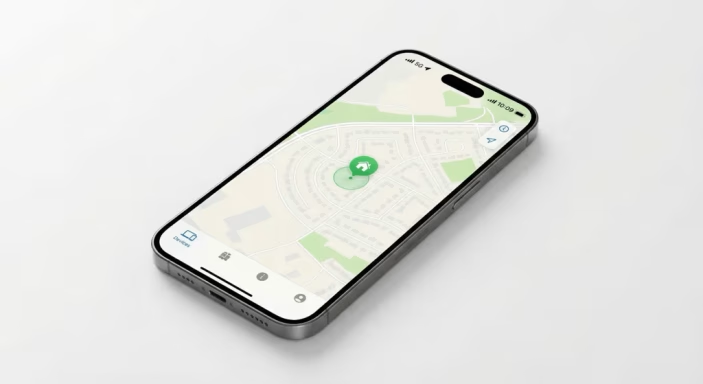
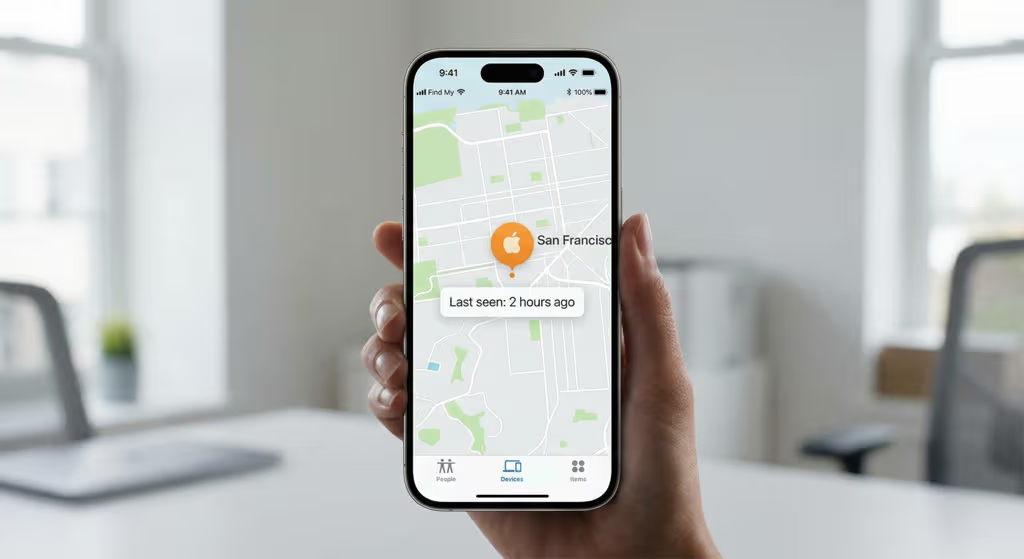
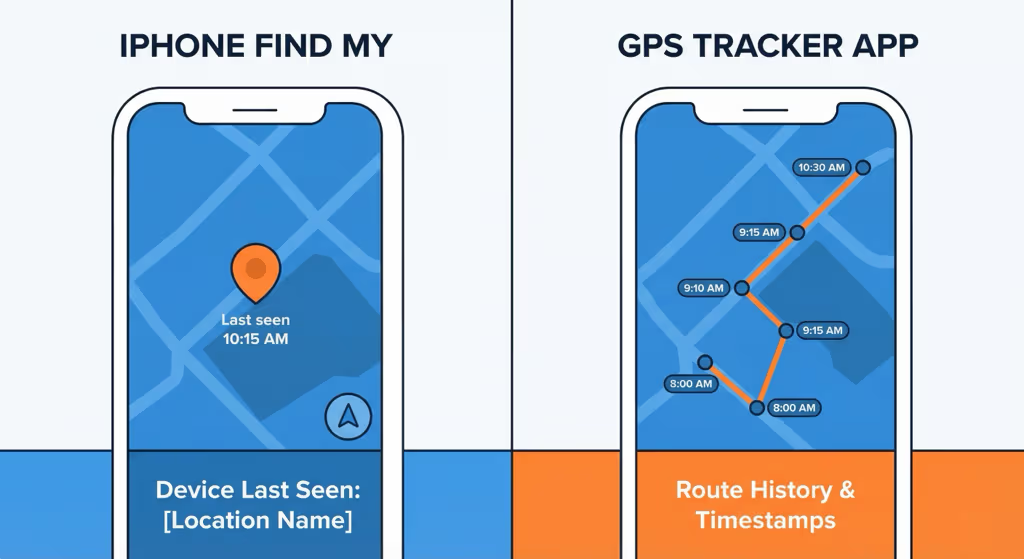
When you open the Find My app and tap your AirTag, you see exactly one piece of location information: the last known location. That’s it. There is no timeline, no route trace, no “movement log,” no replay of where your AirTag traveled.
What Find My does display:
- A single pin on a map — the most recent location where an Apple device detected your AirTag’s Bluetooth signal
- A timestamp — how long ago that detection happened (“Last seen: 14 minutes ago” or “Last seen: Yesterday at 3:42 PM”)
- An approximate address — the street address or location name closest to that pin
- Precision Finding (AirTag 2, within 60m) — directional arrows and distance when you’re physically nearby
What Find My does not display:
- A route showing where the AirTag traveled between updates
- A list of previous locations
- Movement timestamps beyond the most recent one
- Speed, direction, or path data
- Any historical record of past positions
This is deliberate, not a software gap Apple might eventually fix. Understanding why explains what AirTag is actually built to do.
Why AirTag Has No Location History: Privacy by Design
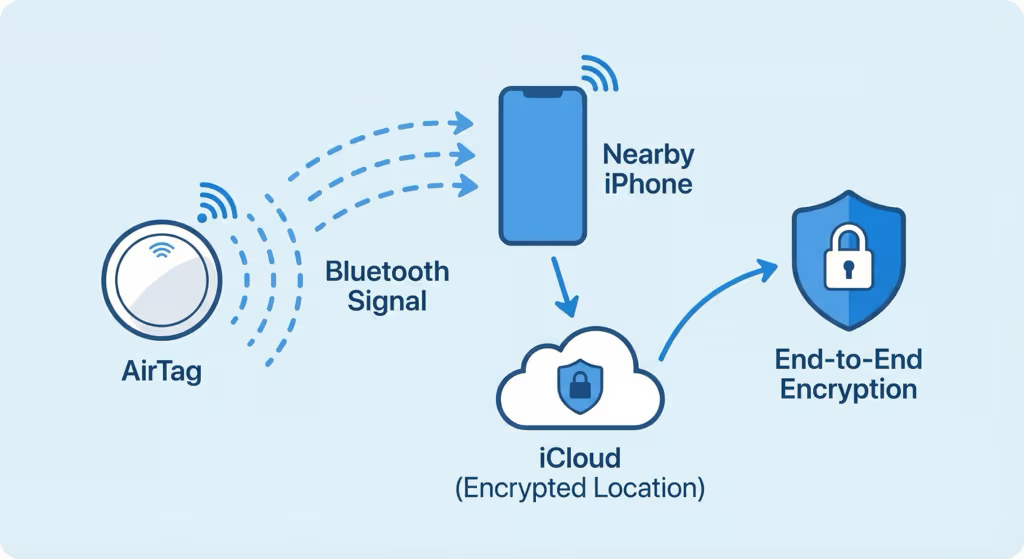
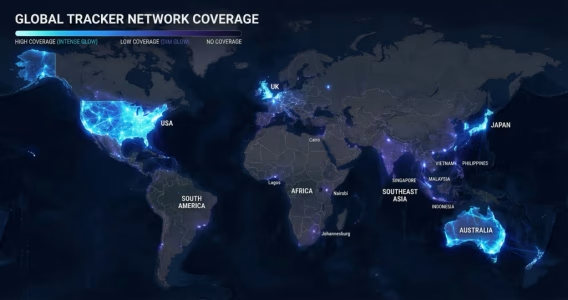
AirTag doesn’t have GPS. It doesn’t connect to satellites or cellular networks. Instead, it emits an encrypted Bluetooth signal that is anonymously detected by nearby Apple devices (iPhones, iPads, Macs). When a passing iPhone detects your AirTag, it encrypts the location data and sends it to Apple’s servers—and only you, the registered owner, can decrypt it.
That means Apple’s servers never see a continuous stream of your AirTag’s movement. Each location update is a one-off, anonymous event. There’s no server-side record linking where your AirTag was this morning to where it ended up tonight. The system keeps only the most recent event; older ones are discarded.
Apple has said publicly that Find My is built so neither Apple nor law enforcement can reconstruct an AirTag’s movement history. The privacy protection isn’t just policy—it’s structural. This also keeps AirTag from functioning as a covert long-term surveillance tool against people who don’t own it.
For owners trying to piece together a stolen car’s route, or figure out where luggage ended up during a delay, AirTag can’t help with that. You see only where it was last seen.
What “Last Seen” Actually Means—and Its Limitations
The “Last seen X minutes ago” label in Find My can be misleading if you don’t understand what triggers an update.
An AirTag location is updated when any Apple device running Find My passes within Bluetooth range (~120 meters) of your AirTag. In dense urban environments—offices, malls, airports, city streets—this can happen every few minutes, because iPhones are everywhere. In rural or low-density areas, updates may come hours apart if few Apple device owners pass nearby.
That gap can stretch for hours if your AirTag is somewhere remote, inside a parked vehicle, or anywhere with little foot traffic from iPhone users. The “last seen” pin might be showing you where the bag was six hours ago—not where it is now.
Here’s the scenario people run into most: a thief takes your bag and drives out of the city—your AirTag may not update for hours. The “last seen” pin might still show the spot where the theft happened, not where the bag currently is. It’s probably the most common AirTag disappointment.
Two visual states worth knowing: if the “Last Seen” timestamp turns red in Find My, it means the data is older than roughly 24 hours — AirTag Last Seen in red explains what that threshold means and what to do. If Find My shows “Searching…” with no timestamp at all, that’s a different condition from a stale timestamp — AirTag searching for signal covers the distinction and how to resolve it.
AirTag 2 (2025): Does It Add Location History?

Apple released AirTag 2 in 2025, adding meaningful upgrades over the original: a new U2 chip that extends Precision Finding range to 60 meters (from 30m), improved close-range accuracy to within 20–30 centimeters, and IP67 water/dust resistance (upgraded from IP67 splash resistance).
AirTag 2 does not add location history. The underlying architecture of Find My—anonymous location relays, no movement logging—is unchanged. The “last known location” model is the same in 2026 as it was in 2021.
AirTag 2 does improve the Find My experience in one relevant way: because it detects other Apple devices at longer range (60m vs. ~30m for original AirTag), it is more likely to receive location updates in areas with sparse Apple device traffic. For a detailed look at all the changes in AirTag 2, check out our full AirTag 2 review. More frequent updates means the “last seen” timestamp is more current—but it still only reflects the most recent event, not a history of events.

Apple AirTag 2 Best Bluetooth tracker for everyday items — no location history, but unmatched precision finding
Price: $29 (1-pack) · $99 (4-pack) · No monthly fee
Works with: iPhone (iOS 14.5+) · Precision Finding up to 60m · IP67
Check Price on Amazon → 4-Pack →
Can You See AirTag Location History Any Other Way?
Several workarounds have been discussed online. Here’s an honest assessment of each:
Manual Screenshot Log
Some users periodically screenshot their AirTag’s current location pin in Find My. This creates a manual, rough record of locations over time—but it requires active effort, and the granularity depends on how often you check. This is not practical for real-time tracking or theft recovery. It only works if you’re actively monitoring the AirTag before an incident.
Third-Party Apps
No third-party app can retrieve AirTag location history from Apple’s servers—that data simply doesn’t exist on Apple’s side. Apps that claim to show “AirTag history” are displaying your own manually saved data or are misrepresenting their functionality. Be cautious of any app making this claim.
Requesting Data from Apple
Apple’s privacy design means location history is never retained on their servers. Even a law enforcement subpoena can’t produce data that doesn’t exist. Apple has confirmed this publicly. The only exception: the most recent detected location event, which Apple may share under a valid legal order.
The Honest Answer
There’s no way to reconstruct an AirTag’s movement history—not through the app, not through Apple, not anywhere. If you need a route log—for theft recovery, vehicle monitoring, or any situation where the path matters—AirTag is the wrong tool. You need a GPS tracker.
When You Need Location History: GPS Trackers That Actually Record Routes
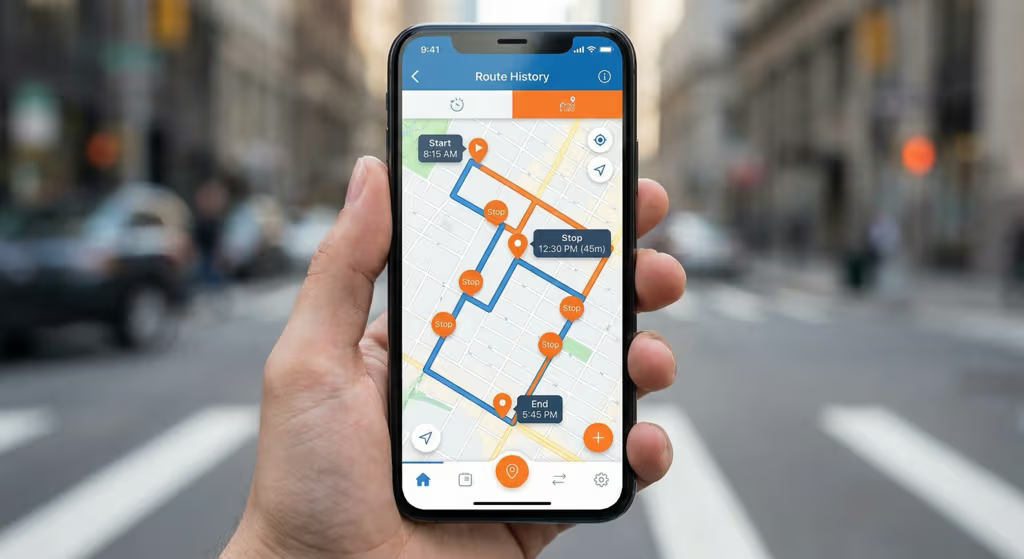
GPS trackers use 4G LTE to send coordinates every few seconds to a cloud server. That server stores every update—so you get a full route you can replay, with timestamps at every stop. It’s persistent, continuous, and independent of whether any iPhone happens to pass by.
That’s a completely different thing from AirTag’s single location pin. It costs money to run: a monthly subscription, usually $8–30/month depending on the device.
Bouncie — Best for Vehicles (Route History + Real-Time)
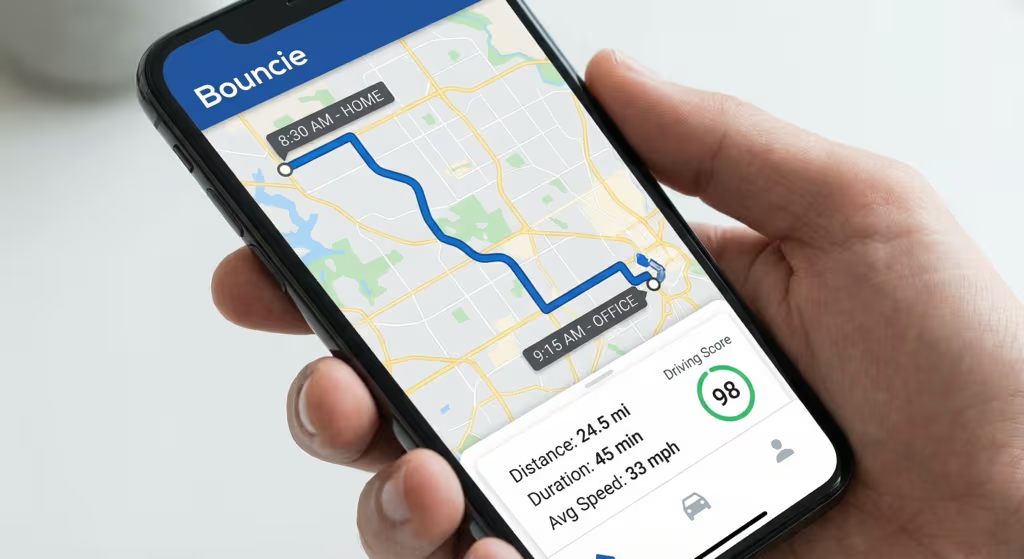
For car tracking, Bouncie is usually where people end up. It’s cheap to buy, plugs into the OBD-II port in about 30 seconds, and $8/month is the lowest subscription in this category. Once it’s in, it records:
- Full route history for every trip, viewable in the app
- Real-time location updated every 60 seconds
- Speed data and hard-braking events
- Geofence alerts when the vehicle leaves a defined area
- Trip start/end times and total distance

Bouncie GPS Tracker Full route history + real-time tracking for any car — lowest subscription at $8/month
Price: ~$79 device · $8/month subscription
Works with: Any car/truck with OBD-II port (1996+) · iOS & Android
Pros
- Full route history — replay every trip
- Real-time location every 60 seconds
- Speed, hard-braking, and geofence alerts
- Lowest GPS subscription: $8/month
- Always powered by the car (no charging)
Cons
- OBD-II port required — cars and trucks only
- Monthly subscription ($96/year)
- Visible port plug could be spotted
LandAirSea 54 — Best for Assets and Non-Vehicle Use
For tracking equipment, trailers, cargo, boats, or any asset without an OBD-II port, the LandAirSea 54 uses a built-in magnet to attach anywhere. It provides full route history, geofence alerts, and works in 200+ countries. Battery lasts 1–2 weeks per charge; an optional hardwire kit makes it permanently powered.

LandAirSea 54 Magnetic GPS tracker with full route history — for vehicles, equipment, and assets worldwide
Price: ~$36 device · $9.95/month subscription
Works with: Any magnetic surface · 200+ countries · iOS & Android
Pros
- Full route history and stop log
- No OBD-II port needed — magnetic, attaches anywhere
- IP67 waterproof for outdoor use
- Works globally in 200+ countries
- Geofence alerts with instant notifications
Cons
- Battery lasts 1–2 weeks (needs regular charging)
- Monthly subscription required (~$9.95/month)
- Slightly bulkier than AirTag
For a full side-by-side breakdown, see our AirTag vs GPS Tracker comparison guide.
AirTag vs GPS Tracker: Location History Comparison
| Feature | Apple AirTag 2 | GPS Tracker (Bouncie / LandAirSea 54) |
|---|---|---|
| Location History | ✗ None — last known location only | ✓ Full route log — every position stored |
| Route Playback | ✗ No | ✓ Yes — replay any trip |
| Real-Time Tracking | ✗ No — crowd-sourced, periodic updates | ✓ Yes — every 5–60 seconds |
| Update Frequency | ⚠ Varies — depends on nearby iPhones | ✓ Consistent — cellular, independent |
| Speed / Trip Data | ✗ No | ✓ Yes — speed, braking, distance |
| Geofence Alerts | ⚠ Limited — Separation Alert only | ✓ Custom zones with instant notification |
| Works Without Nearby iPhones | ✗ No — requires Apple device nearby | ✓ Yes — cellular, works anywhere |
| Device Cost | $29 (1-pack) | $29–$79 |
| Monthly Fee | $0 — no subscription | $8–$10/month (required) |
| 2-Year Total Cost | $29 | $221–$275 |
The cost difference is real. AirTag costs $29 once, has no subscription, and does Precision Finding well for everyday items like keys and bags — see the best uses for AirTag guide for a practical breakdown of which 15 scenarios work well and which three consistently fall short. GPS trackers cost more to run but tell you where something went—which is a completely different thing from where it is right now. The full AirTag vs GPS tracker guide goes deeper on the trade-off. And even when AirTag does report a position, that location is a crowd-sourced estimate rather than a GPS fix — how accurate are AirTags breaks down exactly what precision to expect in urban, suburban, and rural environments.
Common Scenarios: What AirTag Can (and Can’t) Do
Theft Recovery: Will AirTag Show Where My Stolen Item Went?
AirTag can help you find a stolen item if it’s still in an iPhone-dense area and the thief hasn’t swept for trackers. But it can’t show the route. If you go to police with an AirTag, they can act on a current location—they can’t use it as route evidence. For vehicle theft, a hardwired GPS tracker is what investigators actually want. Our guide on using AirTag for car tracking gives a realistic picture of what to expect.
Teen / Fleet Monitoring: Can I Use AirTag to Track Driving?
No. AirTag can show you a current location pin—but only if an Apple device happened to pass by recently. It can’t tell you how fast someone drove, what route they took, or when they left. For any parental monitoring or fleet use that requires actual trip data, Bouncie is the right tool.
Lost Luggage: Will AirTag Show Where My Bag Was?
For luggage, AirTag actually works pretty well at airports—iPhones are everywhere, so location updates come in regularly. You’ll see where your bag is right now (or was, a few minutes ago), which is usually enough to track down a misdirected bag. What you won’t get is a replay of the baggage system journey. For international trips, see our guide on AirTag international tracking.
Checked Luggage on Flights: Any Special Considerations?
AirTag can’t transmit during a flight, but picks up fast once the plane lands—airports are among the most iPhone-dense environments you’ll find. Most passengers see updates within minutes of landing. The AirTag in checked luggage guide covers airline policies and what to do if your bag doesn’t show.
Frequently Asked Questions
Does AirTag save location history?
No. The Find My app shows one thing: the last known location—a single pin with a timestamp. Apple built the system this way deliberately, so location history is never stored on their servers. There’s nothing to retrieve.
Can I see where my AirTag has been in the last 24 hours?
No. There is no 24-hour history, timeline, or movement log available in Find My. Only the most recent detected location is shown. Once a new location event overwrites the previous one, the old location is gone permanently.
Will Apple release AirTag location history in a future update?
Apple hasn’t announced any plans to add location history. Adding it would mean rebuilding the privacy architecture from the ground up—storing movement logs directly contradicts what Apple has publicly committed to. Don’t hold your breath.
Can police access AirTag location history?
No. Apple has said it can’t hand over AirTag location history even to law enforcement—the data doesn’t exist on their servers. The only thing potentially available is the most recently detected location, and only under a valid legal order.
How do I see when my AirTag last updated?
Open Find My → tap the Items tab → tap your AirTag. The location card shows a “Last seen” timestamp beneath the map pin. This indicates when an Apple device most recently detected and relayed your AirTag’s position. If the timestamp is old, it means no Apple device has passed near your AirTag since then. If the location is updating but the position shown looks wrong or keeps jumping, see AirTag location not updating — that’s a different problem from a stale timestamp.
Is there any way to get AirTag to update location more frequently?
AirTag updates are passive—they depend on Apple device owners passing nearby. You can’t push one manually. In cities or airports, you’ll typically see updates every few minutes. In rural areas or anywhere iPhones are scarce, you might go hours with no update at all, regardless of your settings. AirTag 2’s 60m detection range helps at the margins, but the core dependency on nearby devices doesn’t change.
Can AirTag track a car’s route?
No. AirTag shows only the most recent location of whatever it’s attached to—not a driving route. For car route tracking with trip history, speed monitoring, and geofencing, a vehicle GPS tracker is required. The AirTag for car guide covers what AirTag can and cannot do in vehicle scenarios in detail.
What’s the best GPS tracker for location history?
For vehicles, Bouncie is the best value at $8/month—it plugs into the OBD-II port and records full route history. For assets, equipment, or non-vehicle tracking, LandAirSea 54 attaches magnetically to any surface and also provides complete route history. Both work in iOS and Android. See our best item trackers guide for a full comparison.